50,000 + Trusted Users with
star-img star-img star-img star-img star-img

Trusted by Professionals at Leading Companies

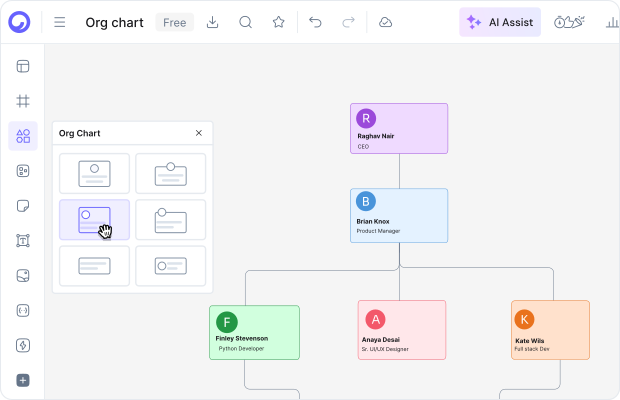
Org chart software - an organizational chart built in Cloudairy

What Is the Best Org Chart Software?

The best org chart software depends on what you're mapping. For most teams, a collaborative diagramming workspace like Cloudairy is the fastest option: describe your team in plain English, get an editable chart, and refine it together in real time - on a free plan, with paid plans from $8 per member per month.

Org chart tools fall into two camps. Specialty HR platforms - Organimi, ChartHop, BambooHR's built-in charts - sync employee data straight from your HR system and are built for headcount planning. Diagramming and visual-workspace tools - Cloudairy, Lucidchart, Miro, Microsoft Visio - give you flexible visuals, planning boards, and collaboration around the chart itself.

If the chart must update itself from your HRIS, pick a specialty platform. If you need to sketch a reorg, plan a new team, or document reporting lines next to the rest of your project work, a diagramming workspace fits better. This page compares the second camp; if you're starting from zero, read the organizational chart guide first.

Cloudairy vs Lucidchart vs Miro vs Visio for Org Charts

Four diagramming tools handle most org chart work. Here's how they differ on the things buyers actually ask about - and where each free org chart software tier tops out.

Verdict: Cloudairy is the strongest pick when you want AI to draft the chart and the whole team editing on one canvas - free to start, $8/member/mo after. Lucidchart wins if refreshable data import from BambooHR or Sheets is your core workflow. Miro fits whiteboard-first teams that need an occasional chart. Visio still makes sense inside Windows-and-Microsoft-365 shops. And if the chart must stay synced to your HR system, skip all four and pick a specialty platform like ChartHop or Organimi.

Why Teams Pick Cloudairy Over Other Organizational Chart Software

Most org chart software makes you draw boxes. Cloudairy starts from a sentence and ends with a chart your whole company can open, edit, and trust.

AI drafts the first version of your org chart

AI Drafts the First Version

Type "a 40-person agency: CEO, three directors, six team leads" and the AI lays out the chart. You fix titles and move people instead of drawing boxes for an hour. Try it on the AI organization chart generator.

Real-time collaboration on every plan

Real-Time Collaboration on Every Plan

HR edits names while the COO drags a team under a new director - live cursors, comments, no version emails. Collaboration isn't paywalled: it works on the free plan too.

Org chart templates for real structures

Templates That Match Real Org Structures

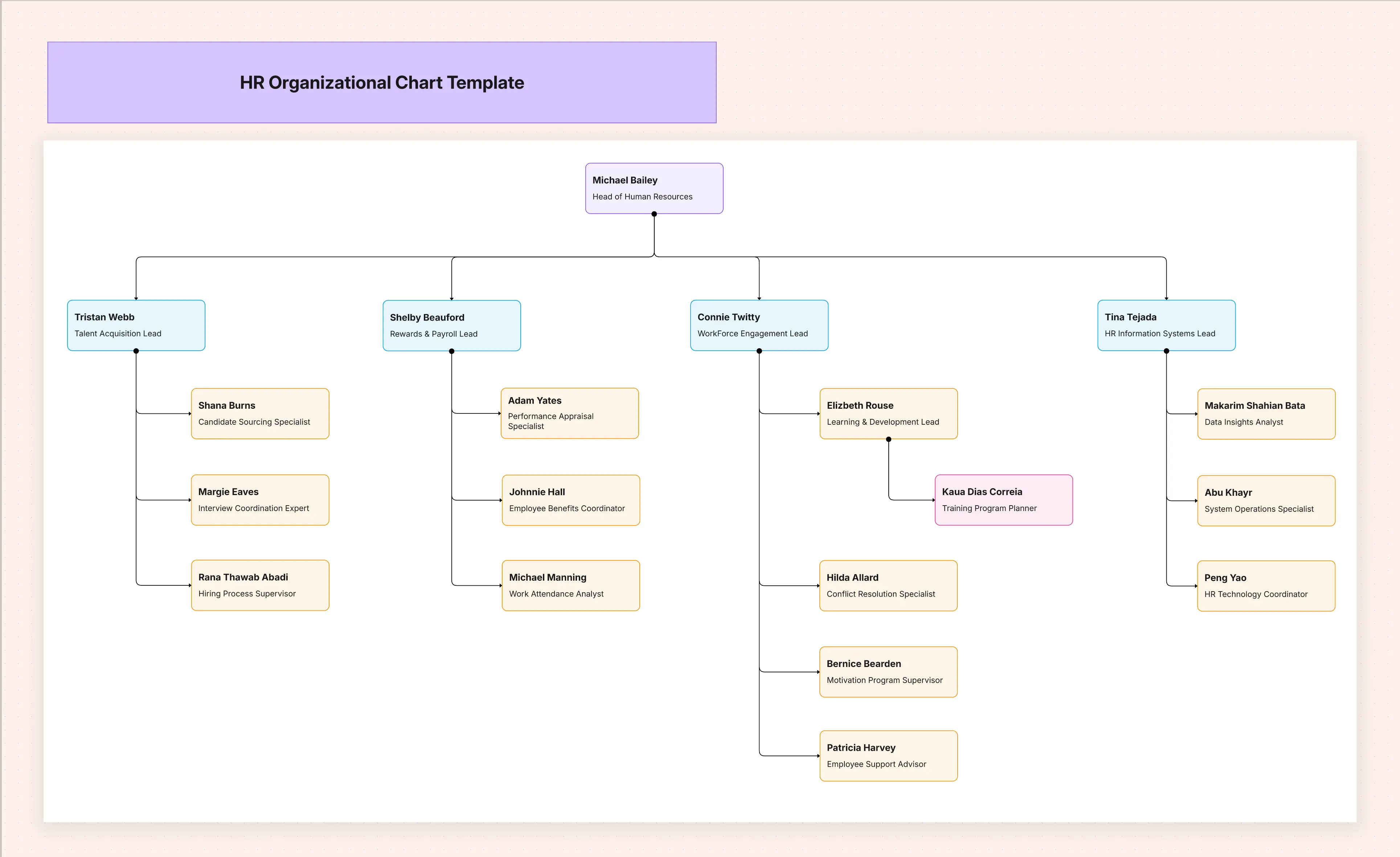
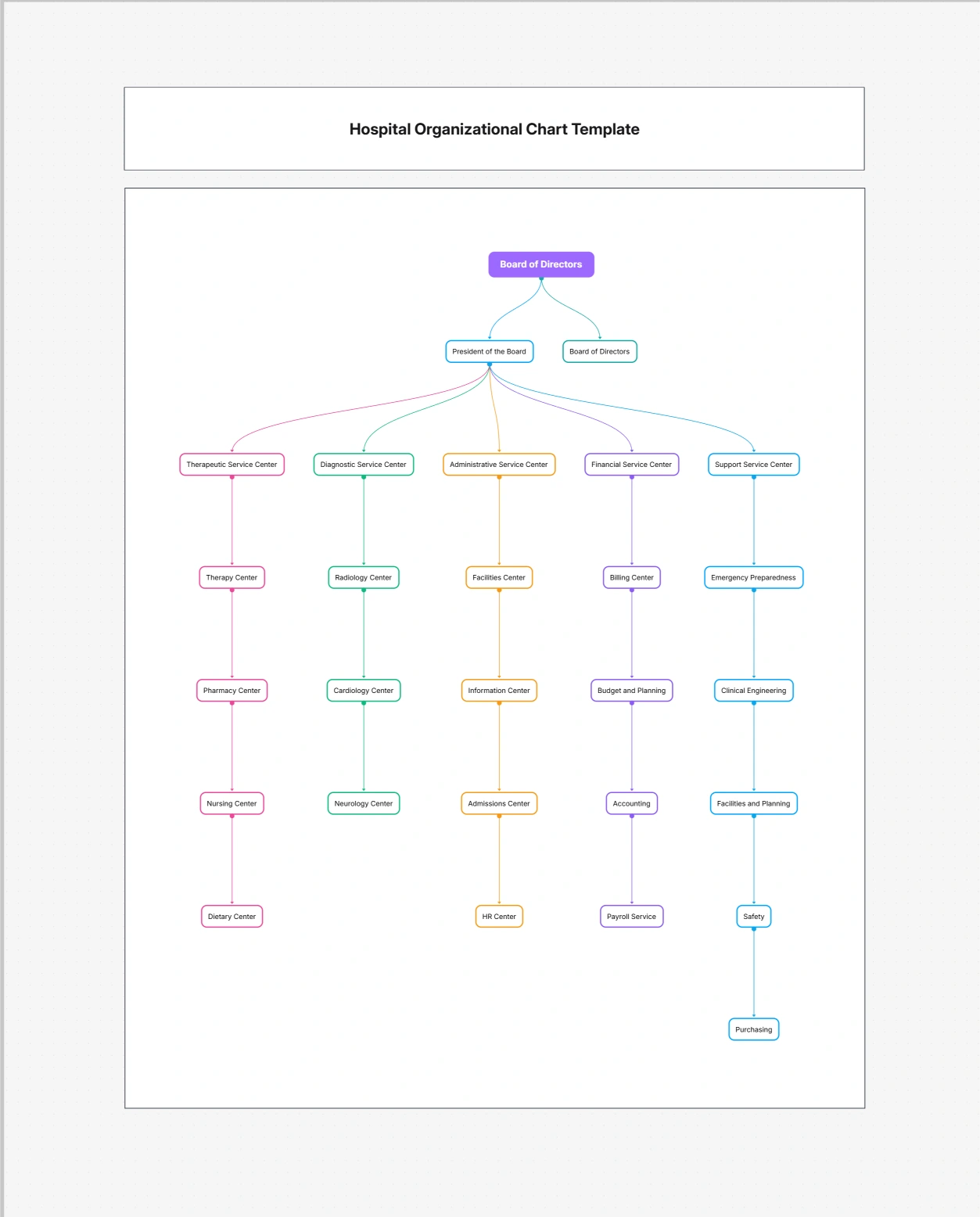
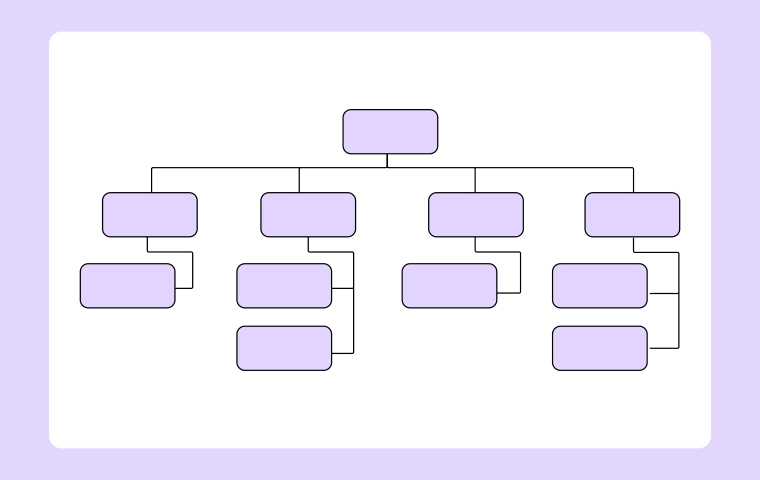
Start from hierarchical, matrix, or flat layouts in the templates library - including ready-made HR and hospital org charts - and restyle them to your brand.

Whiteboard, docs, and tasks in one workspace

A Whole Workspace, Not Just a Chart

The org chart lives beside whiteboards, docs, and tasks in one workspace, so the reorg plan, its timeline, and the chart stay in one place. See the organization chart feature for the full tour.

Org Chart Templates & Examples

Skip the blank canvas. These templates and real examples are the fastest way to see what a good structure looks like - open one and swap in your team.

Build an Org Chart in 3 Steps

From "who reports to whom" to a chart the whole company can open - without drawing a single box by hand.

Step 1 - Describe your team: Type who reports to whom in plain English, or paste your team list. Cloudairy's AI turns it into a clean, editable org chart in seconds - the free plan includes 25 AI credits a month.

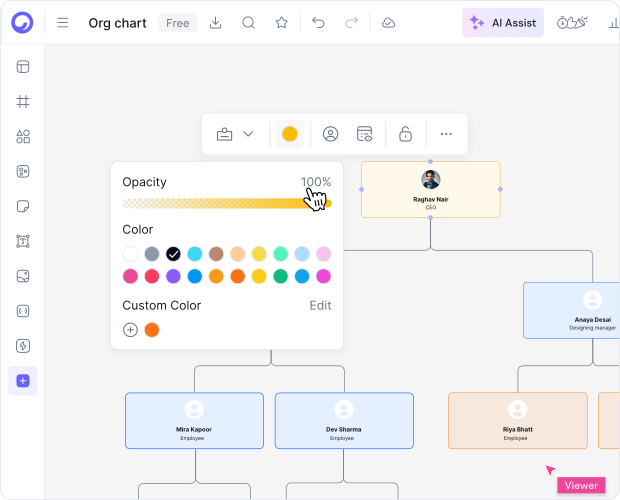
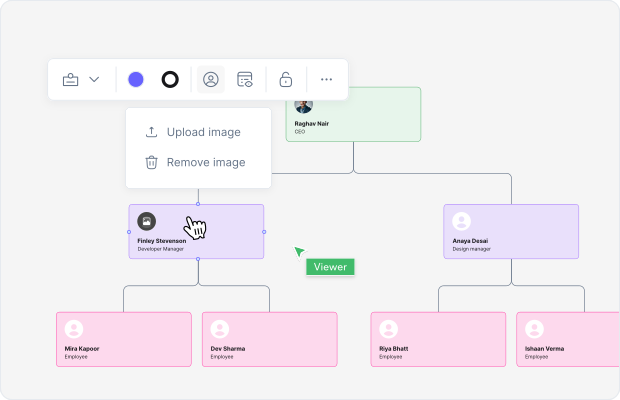
Step 2 - Refine it together: Drag a person under a new manager, add departments, restyle teams by color. Invite colleagues to edit the same chart live, with comments and cursors instead of email attachments.

Step 3 - Share and keep it current: Share a live link, or export to PNG, SVG, or PDF for decks and handbooks. When someone joins or moves, update the chart once - everyone sees the change.

Want the theory first? The organizational chart guide covers structure types - hierarchical, matrix, flat - and when each one fits.

How to build an org chart in 3 steps with Cloudairy

Who Uses Org Chart Software?

The same chart does very different jobs. These are the four buyers we see most - and what each one actually needs from organizational chart software:

HR managers mid-reorg

You're moving 30 people across four departments and every draft leaks. Build the proposed structure on a private board, walk leadership through it live, and publish the final chart the day the reorg lands.

Founders planning headcount

The next six hires change the shape of the whole company. Sketch the org you're hiring toward next to the one you have, and share both with investors or your leadership team from a single link.

Agencies mapping client orgs

Every engagement starts with "who owns what on the client side?" Map each client's stakeholders in minutes, keep one board per account, and drop the chart straight into your kickoff deck.

Ops leads documenting reporting lines

New starters shouldn't need three Slack messages to find the right approver. Keep one current chart linked from your handbook, and update it in place whenever the team changes.

Who uses org chart software - HR, founders, agencies, ops

Org Chart Software FAQs

Yes. Cloudairy's free plan includes 3 boards, 25 AI credits per month, and unlimited members, so a whole team can view and edit charts at no cost. Lucidchart's free tier allows 3 documents with 60 objects each - roughly one mid-sized chart - and Miro's includes 3 boards. Visio has no free plan.

For most small businesses, Cloudairy: the free plan covers unlimited members, AI drafts the chart from a sentence, and upgrading costs $8 per member per month. Lucidchart's Team plan carries a 3-user minimum at $10 per user, and Visio requires Microsoft 365 add-on licensing - both harder to justify under 20 people.

In Cloudairy, paste your team list into the AI and it builds the chart - there's no scheduled spreadsheet sync. If refreshable imports are your core workflow, Lucidchart is genuinely strong here: it imports from BambooHR, Google Sheets, and CSV, and can refresh the chart when the data changes.

Cloudairy generates the first draft with AI, includes real-time collaboration on every plan, and its free tier allows unlimited members. Lucidchart counters with excellent org chart templates and refreshable data import from BambooHR or Sheets, but its free tier caps documents at 60 objects and Team plans require 3 seats. Pick by workflow: AI-first drafting versus data-driven import.

When the chart must mirror your HR system without anyone touching it. ChartHop, Organimi, and BambooHR's built-in charts sync employee data from your HRIS and support headcount planning. A diagramming workspace like Cloudairy is better when you need flexible visuals, reorg drafts, and planning boards - not a live system of record.

Yes. Share a live link so the chart people open is always current, or invite teammates to edit with comments and live cursors. For decks and handbooks, export to PNG, SVG, or PDF. Real-time collaboration works on every Cloudairy plan, including Free.

Yes. The templates library includes hierarchical, matrix, and flat layouts plus role-specific charts such as the HR organizational chart and hospital organizational chart templates. Every template is fully editable - restructure it, recolor departments, and swap in your own names and titles.

Yes. Cloudairy is certified for SOC 2 Type II, ISO 27001, GDPR, and PCI DSS. Enterprise features include SAML SSO (via Okta, OneLogin, Auth0), SCIM provisioning, audit logs, custom data residency (US or EU), and a 99.9% uptime SLA.

Cloudairy is free for 3 boards, 25 monthly AI credits, and unlimited members; Pro is $8 per member per month and Business is $16. Lucidchart runs $9/month for individuals or $10 per user for teams of 3 or more. Miro's Starter is $8 per member on annual billing, and Visio is priced as a per-user Microsoft 365 add-on.

Success Stories from Our Community

See how professionals and learners across industries use Cloudairy to transform ideas into results. From students and educators to architects and managers, our users achieve more with the power of AI-driven creativity.

As a cloud architect, I need precision and speed. Cloudairy helps me design complex multi-cloud architectures in minutes without losing detail or accuracy.

Cloudairy makes solution design so simple. I can create client-ready diagrams instantly and focus on delivering value instead of spending time on formatting.

As a student, Cloudairy makes my assignments so much easier. I can generate flowcharts and mind maps instantly, which helps me study smarter.

I use Cloudairy in my classes to teach system design. It's intuitive for students and powerful enough for real-world projects.

Cloudairy has completely changed how I manage projects. The AI-driven diagrams save me hours every week, and my team collaborates more efficiently than ever.

Secure, compliant, and enterprise-ready

Cloudairy safeguards your work with enterprise-grade security, compliance, and access controls -so your teams can create, collaborate, and scale with confidence.

SOC 2 Type
SOC 2 Type Ⅲ

Cloudairy is SOC 2 Type Ⅲ and penetration tested annually, ensuring your data meets the highest standards for security and reliability.

SSO Image
GDPR

We comply with the European Union General Data Protection Regulation (GDPR) and extend it to all our customers even those outside of the EU

Access Controls
ISO 27001

Our Information Security Management System is ISO 27001 certified the leading global standard for information security.

Flexible Pricing for Every Team

Free

Discover what Cloudairy can do for you. Start for free

$0

for unlimited members
Try for free

Upgrade now

Show key features

up-arrow

Includes:

Starter

Unlock unlimited and private boards with important features

$4

per member / month

billed annually

monthly

Show key features

up-arrow

Includes everything in Free, plus:

money-back

Business

MOST POPULAR

Ideal for agencies or growing businesses managing multiple projects.

$5

per member / month
billed annually

Show key features

up-arrow

Includes everything in starter, plus:

Enterprise Plan

For large organizations needing scalability, control, and security.

contect-pricing
Contact for pricing
Contact us

Upgrade now

Show key features

up-arrow

Includes everything in Business, plus:

The short version: Free is $0 - 3 boards, 25 AI credits a month, unlimited members. Paid plans run $8 per member/month and $16 per member/month for Business, billed annually. Enterprise is custom.

More Org Chart Resources

Ready to Map Your Team?

Describe your team once and get an org chart everyone can edit, share, and keep current - no drawing required.

No credit card required · Free plan: 3 boards + 25 AI credits/month · SOC 2 Type II & GDPR compliant