50,000 + Trusted Users with
star star star star star

Trusted by Professionals at Leading Companies

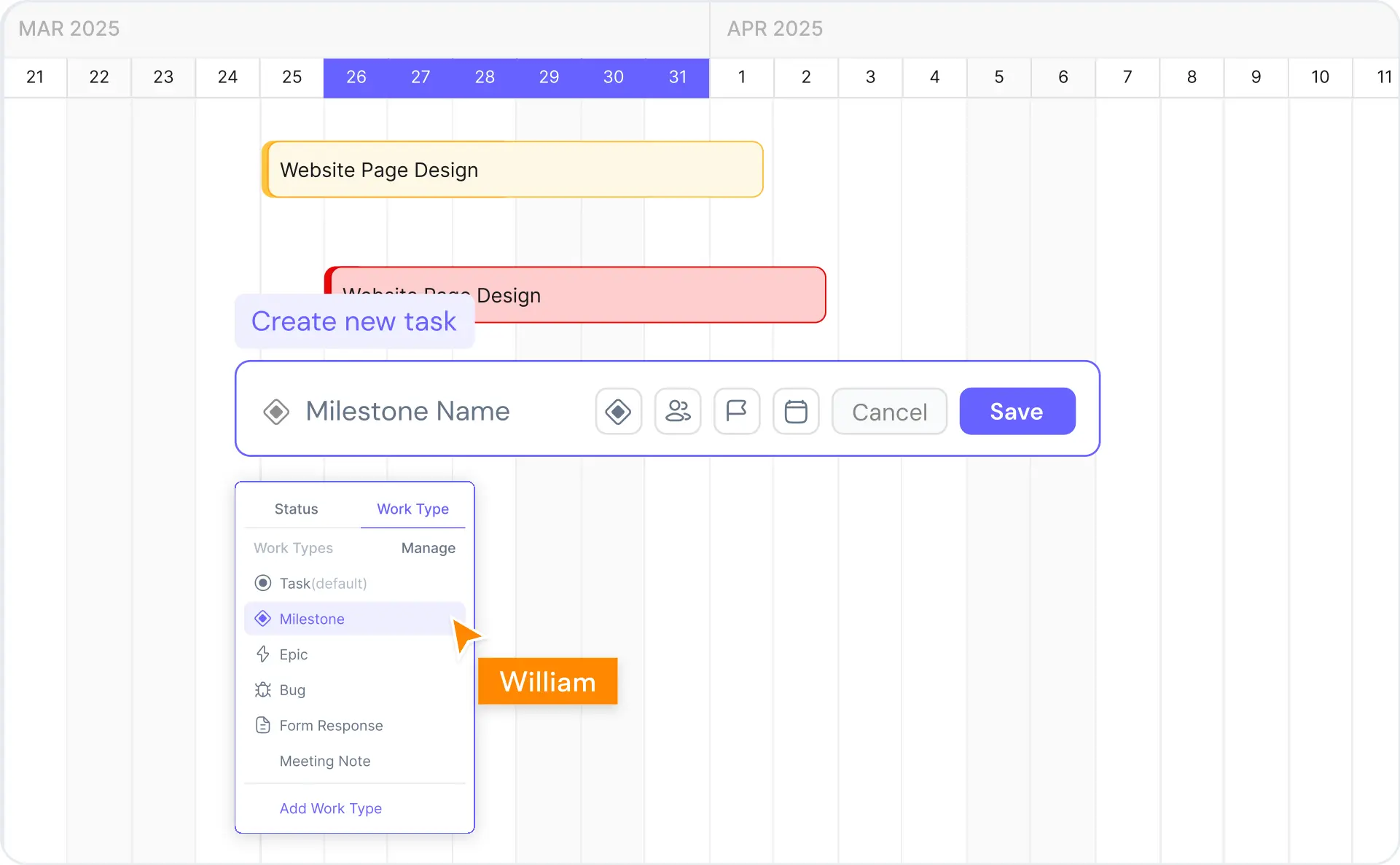
What is a Gantt chart — example showing tasks, milestones, dependencies, and critical path on a project timeline

What Is a Gantt Chart?

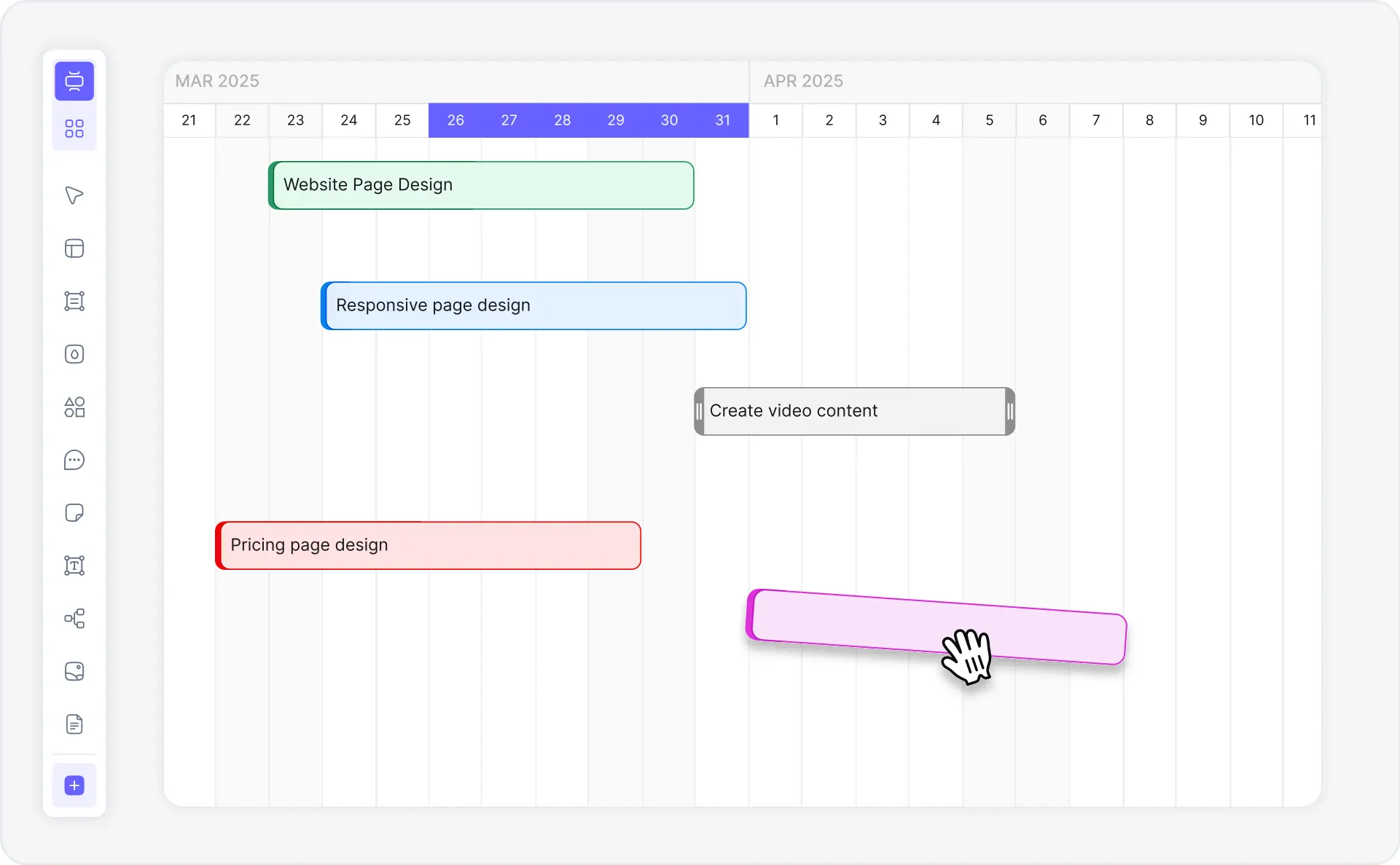
A Gantt chart is a horizontal bar chart used in project management to visualize a project schedule over time. Each bar represents a task, with its position and length showing the start date, duration, and end date. Gantt charts display task dependencies (which tasks must finish before others can start), milestones (key project checkpoints), resource assignments, and the critical path — the longest sequence of dependent tasks that determines the project's total duration.

Named after Henry Gantt who popularized the format in the 1910s, Gantt charts remain the most widely used project planning visualization across construction, software development, marketing campaigns, event planning, and manufacturing. A project Gantt chart maker lets teams align on timelines, spot bottlenecks, and communicate project status to stakeholders at a glance — making them indispensable for project managers, construction managers, marketing directors, and engineering leads.

Cloudairy's AI Gantt Chart Maker eliminates manual setup and the need for a full PM software subscription. Describe your project tasks in natural language — "Build a website with design (2 weeks), development (4 weeks), testing (1 week), and launch" — and the AI generates a complete, formatted Gantt chart with dependencies, milestones, and critical path automatically. Export to PNG, SVG, or PDF for reports and presentations. No Monday.com, no Smartsheet subscription required.

How to Make a Gantt Chart with AI (5 Steps)

Go from project idea to a fully formatted Gantt chart with dependencies, milestones, and critical path in five steps — no manual setup, no PM software subscription required.

1

Describe your project tasks

Type a plain-English description of your project. For example: "Build a website with design phase (2 weeks), development (4 weeks), testing (1 week), and launch". Or choose from industry-specific example prompts — construction project, software release, marketing campaign, event planning, product launch, agile sprint.

2

AI generates your Gantt chart

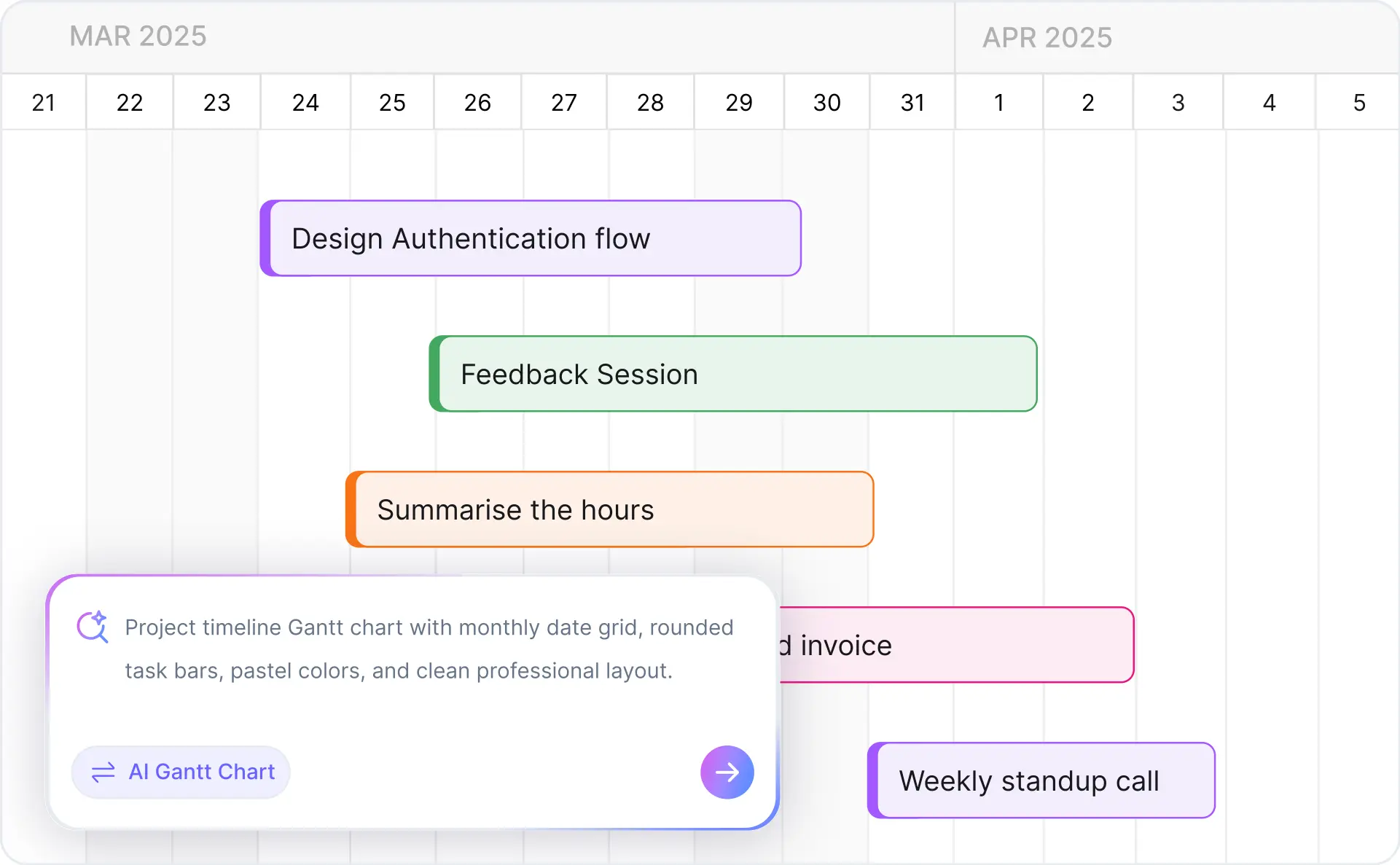
Cloudairy's AI instantly creates a formatted Gantt chart — task bars positioned on a timeline, dependencies linking related tasks, milestones marking key deliverables, and the critical path highlighted automatically. No manual entry, no drag-and-drop setup required.

3

Customize colors, durations, and resources

Refine your Gantt chart in Cloudairy's visual editor. Adjust task durations by dragging, assign resources per task, change colors by team or phase, add new milestones, and modify dependency types (finish-to-start, start-to-start). The AI Flowchart Generator can complement complex process planning alongside your Gantt.

4

Collaborate with your team in real time

Invite team members to edit or view the Gantt chart simultaneously. Leave comments on specific tasks or milestones, see live presence indicators showing who is active, and track every change with full version history. Ideal for distributed project teams and stakeholder review sessions.

5

Export and share

Export to PNG for presentations, SVG for scalable graphics, PDF for stakeholder reports, Visio (.vsdx) for enterprise workflows, or draw.io for open-source collaboration. Share a live view-only or edit link with clients and executives directly from Cloudairy.

How to make a Gantt chart with AI using Cloudairy — five steps from project description to export

Start Creating Your Gantt Chart Free

Join project managers, construction managers, marketing directors, and startup founders worldwide who use Cloudairy to create professional Gantt charts in seconds. AI generation. Auto-dependencies. Critical path. Multi-format export. No PM subscription needed.

No credit card required • Start creating in seconds

Why Use Cloudairy as Your Gantt Chart Maker

Cloudairy is the only AI gantt chart maker that combines AI prompt-to-Gantt generation with automatic dependencies, critical path detection, real-time collaboration, and comprehensive export — all without a PM software subscription.

AI Prompt-to-Gantt

AI Prompt-to-Gantt

Describe your project tasks in natural language and get a complete, formatted Gantt chart in seconds. No manual task entry, no drag-and-drop setup. The AI understands project phases, durations, team roles, and scheduling constraints across any industry.

Auto-Dependencies and Critical Path

Auto-Dependencies & Critical Path

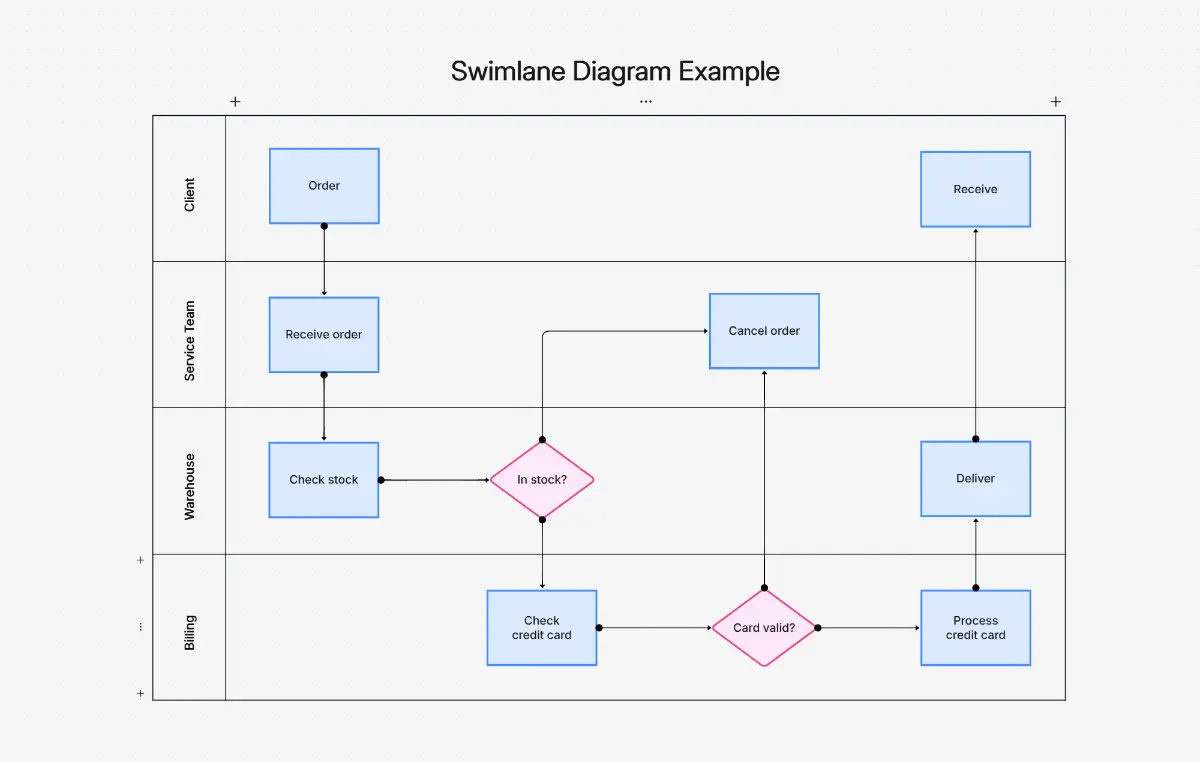
Cloudairy's AI analyzes your project description and automatically identifies logical task dependencies, sets finish-to-start relationships, flags milestones, and calculates the critical path. Any delay on the critical path is instantly visible. Use the AI swimlane diagram maker for cross-functional project views alongside your Gantt.

No PM Subscription Required

No PM Software Subscription Required

Cloudairy is a lightweight standalone gantt chart tool — no need to subscribe to Monday.com, Smartsheet, or ClickUp just to create a Gantt chart. Ideal for users who need Gantt charts for presentations, proposals, and planning documents without full PM platform overhead.

Multi-Format Export

Export PNG, SVG, PDF + Visio & draw.io

Export to PNG for presentations, SVG for scalable web and print, PDF for formal stakeholder reports, Visio (.vsdx) for enterprise architecture teams, and draw.io for open-source collaboration. All exports maintain full fidelity of task bars, dependencies, milestones, and labels.

Real-Time Collaboration

Real-Time Collaboration

Multiple team members can edit the same Gantt chart simultaneously. Leave comments on specific tasks or milestones, see presence indicators showing who is viewing or editing, and access full version history to track changes. Pair with the AI stakeholder map maker for complete project communication planning.

Industry Templates

Industry-Specific Templates

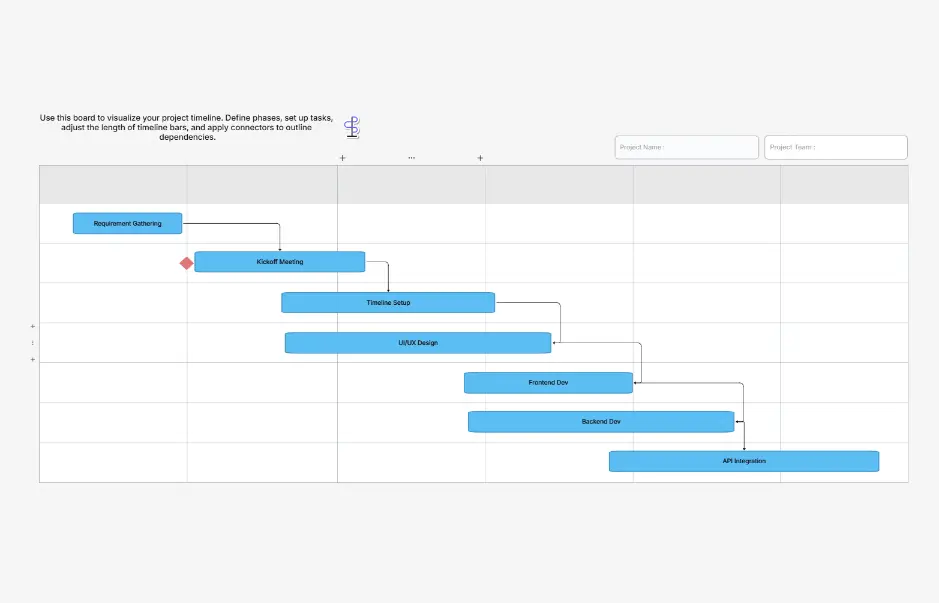
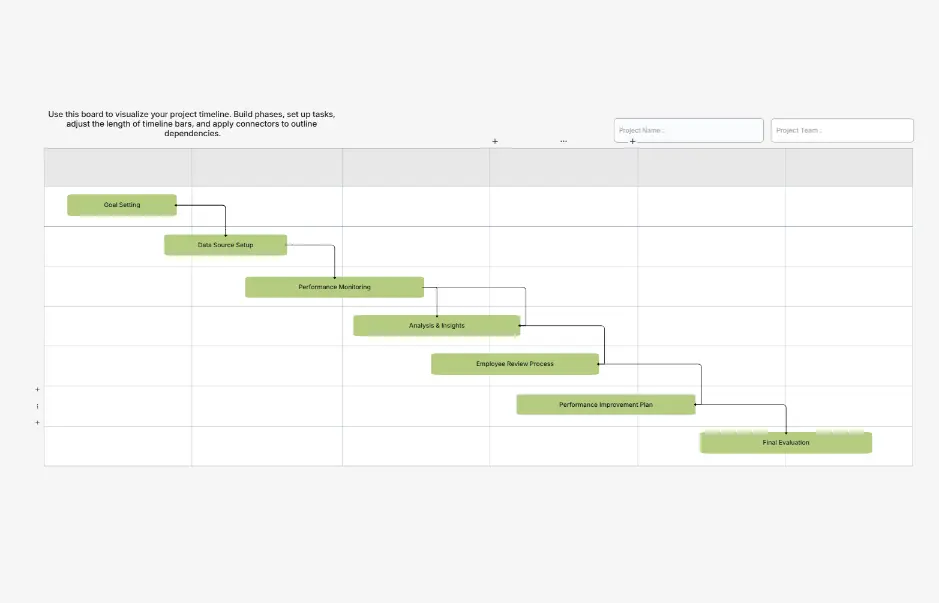
Pre-built Gantt chart templates for construction projects, software development sprints, marketing campaigns, event planning, agile releases, and product launches — all ready to customize. Each template includes typical phases, milestones, and dependencies for that industry.

Gantt Chart Templates — Industry-Specific Project Timelines

Explore professionally designed Gantt chart templates for the most common project types. Each template includes pre-built phases, milestones, and dependencies — fully editable, AI-extendable, and ready to customize for your project.

Cloudairy vs Competitors — Gantt Chart Tools Compared

See how Cloudairy's AI gantt chart maker compares to Monday.com, TeamGantt, GanttPRO, Smartsheet, and Lucidchart — the leading project management and diagramming platforms.

Feature Cloudairy Monday.com TeamGantt GanttPRO Smartsheet Lucidchart
AI Prompt-to-Gantt Yes No No No No No
No PM Subscription Needed Yes (standalone) No (PM suite) No (PM suite) No (PM suite) No (PM suite) Partial
Auto-Dependencies/Critical Path Yes (AI-powered) Manual setup Manual setup Manual setup Manual setup No
Real-Time Collaboration Yes (comments, presence, versioning) Yes (enterprise) Yes (team plans) Yes (paid) Yes (enterprise) Yes (paid)
Export PNG/SVG/PDF Yes (all 3 + Visio + draw.io) PNG, PDF PDF, PNG PNG, PDF, Excel PDF, Excel PNG, PDF, SVG
Visio/draw.io Import Yes (two-way) No No No No Visio import only
Free Tier Unlimited diagrams Free (2 seats) Free trial only Free trial only Free trial only 3 documents

Who Uses Gantt Charts?

Project Managers

Plan project timelines, assign resources, track milestones, and communicate status to stakeholders. Generate Gantt charts instantly from project descriptions — no Monday.com or Smartsheet subscription needed. Pair with the AI mindmap generator for project brainstorming.

Construction Managers

Schedule construction phases, coordinate subcontractors, and plan inspections. Construction is the #1 Gantt chart use case — generate a site project timeline from a plain-English description in seconds. Use the AI value stream mapping tool for lean construction workflows.

Marketing Directors

Plan multi-channel campaign launches, content calendars, and event timelines. Generate a marketing campaign Gantt chart with phases, dependencies, and team assignments — ready to share with executives for approval.

Software Development Teams

Track sprints, feature releases, and product timelines. Generate an agile Gantt chart that maps sprint phases, testing windows, and launch milestones. Complement with the AI system design diagram maker for software architecture planning.

Event Planners & Startup Founders

Coordinate venues, vendors, and logistics for events, or plan a product launch go-to-market timeline. Generate a professional project Gantt chart from a plain-English description and share it with clients and investors in PDF format.

Project managers, construction managers, and marketing directors using Cloudairy's AI Gantt chart maker

Frequently Asked Questions

A Gantt chart is a horizontal bar chart used in project management to visualize a project schedule over time. Each bar represents a task, with its position and length showing the start date, duration, and end date. Gantt charts also display task dependencies (which tasks must finish before others can start), milestones (key project checkpoints), and resource assignments. Named after Henry Gantt who popularized the format in the 1910s, Gantt charts remain the most widely used project planning visualization in construction, software development, marketing, and event management.

With Cloudairy's AI Gantt Chart Maker, simply describe your project tasks in natural language. For example, type "Build a website with design phase (2 weeks), development (4 weeks), testing (1 week), and launch" and the AI automatically generates a formatted Gantt chart with task bars, dependencies, milestones, and critical path. You can then customize colors, adjust durations, add resources, and export to PNG, SVG, or PDF. The entire process takes under 2 minutes compared to 30-60 minutes of manual setup in traditional PM tools.

A complete Gantt chart should include: (1) Task names and descriptions, (2) Start and end dates for each task, (3) Task durations shown as horizontal bars, (4) Dependencies between tasks (finish-to-start, start-to-start, etc.), (5) Milestones marking key deliverables or checkpoints, (6) Critical path highlighting the longest sequence of dependent tasks, (7) Resource assignments showing who is responsible for each task, and (8) A timeline axis (days, weeks, or months). Cloudairy's AI automatically generates all of these elements from a natural language project description.

Yes. Cloudairy's AI analyzes your project description and automatically identifies logical task dependencies. When you describe tasks like "design before development" or "testing after development is complete", the AI creates finish-to-start dependencies, calculates the critical path, and positions tasks on the timeline accordingly. You can manually adjust dependencies after generation by dragging connectors between tasks. The AI also detects implicit dependencies based on common project patterns in your industry.

Yes. Cloudairy offers a free online Gantt chart maker with unlimited diagram creation, AI-powered generation, and export to PNG, SVG, and PDF. Unlike Monday.com (limited to 2 seats on free tier), TeamGantt (free trial only), or GanttPRO (free trial only), Cloudairy's free tier includes unlimited Gantt charts with no time restriction. You can start creating immediately without signing up — just visit the tool, describe your project, and the AI generates your Gantt chart.

No. Cloudairy's Gantt Chart Maker is a standalone tool — you do not need to subscribe to a project management suite like Monday.com, Smartsheet, or ClickUp. This makes Cloudairy ideal for users who need Gantt charts for presentations, proposals, or planning documents without the overhead of a full PM platform. Simply visit the page, describe your project tasks, and generate a professional Gantt chart in seconds.

Cloudairy differs from Monday.com and TeamGantt in three key ways: (1) AI Generation — Cloudairy creates Gantt charts from natural language descriptions; Monday.com and TeamGantt require manual task entry. (2) No PM subscription — Cloudairy is a lightweight standalone tool; Monday.com and TeamGantt are full project management platforms with subscription costs. (3) Export flexibility — Cloudairy exports to PNG, SVG, PDF, Visio, and draw.io; competitors typically support fewer formats. For teams that need Gantt charts without full PM software, Cloudairy is the faster, more focused alternative.

Yes. Cloudairy supports real-time collaboration on Gantt charts. Multiple team members can edit the same chart simultaneously, leave comments on specific tasks or milestones, see presence indicators showing who is viewing or editing, and access full version history to track changes over time. This makes Cloudairy ideal for distributed teams conducting project planning sessions, stakeholder reviews, or timeline negotiations.

Yes. Cloudairy supports one-click export to PNG (for presentations and documents), SVG (for scalable web and print), and PDF (for formal reports and stakeholder distribution). Additionally, you can export to Visio (.vsdx) for enterprise architecture teams and import/export with draw.io for teams using open-source diagramming tools. All exports maintain full fidelity of task bars, dependencies, milestones, colors, and labels.

Gantt charts are used across virtually every industry, but the heaviest adoption is in: (1) Construction — scheduling phases, subcontractors, and inspections; (2) Software development — tracking sprints, releases, and feature timelines; (3) Marketing — planning multi-channel campaign launches; (4) Event planning — coordinating venues, vendors, and logistics; (5) Manufacturing — production scheduling and supply chain coordination; (6) Research and academia — grant timelines and thesis project planning. Cloudairy provides industry-specific templates for each of these use cases.

Success Stories from Our Community

See how cloud architects, solutions engineers, and DevOps teams use Cloudairy to create Azure architecture diagrams faster and with better results.

As a cloud architect, I need precision and speed. Cloudairy helps me design complex Azure architectures in minutes without losing detail or accuracy. The official Azure icons save me hours every week.

Cloudairy makes Azure solution design so simple. I can create client-ready architecture diagrams instantly and focus on delivering value instead of spending hours formatting Visio files.

I'm studying for AZ-305 and Cloudairy helps me visualize Azure reference architectures instantly. I can generate a landing zone diagram from a single sentence and use it as a study aid.

I use Cloudairy to teach Azure architecture in my courses. The AI generator lets students produce real-world diagrams on the first day instead of spending weeks learning Visio.

Our team uses Cloudairy to document every Azure deployment. The Visio export means our diagrams drop straight into client deliverables without any reformatting. Huge time saver.

Secure, compliant, and enterprise-ready

Cloudairy safeguards your work with enterprise-grade security, compliance, and access controls — so your teams can create, collaborate, and scale with confidence.

SOC 2 Type II
SOC 2 Type Ⅱ

Cloudairy is SOC 2 Type Ⅱ certified and penetration tested annually, ensuring your architecture diagrams and data meet the highest standards for security and reliability.

GDPR
GDPR

We comply with the European Union General Data Protection Regulation (GDPR) and extend it to all our customers even those outside of the EU.

ISO 27001
ISO 27001

Our Information Security Management System is ISO 27001 certified — the leading global standard for information security.

Flexible Pricing for Every Team

Free

Discover what Cloudairy can do for you. Start for free

$0

for unlimited members
Try for free

Upgrade now

Show key features

up-arrow

Includes:

Starter

Unlock unlimited and private boards with important features

$4

per member / month

billed annually

monthly

Show key features

up-arrow

Includes everything in Free, plus:

money-back

Business

MOST POPULAR

Ideal for agencies or growing businesses managing multiple projects.

$5

per member / month
billed annually

Show key features

up-arrow

Includes everything in starter, plus:

Enterprise Plan

For large organizations needing scalability, control, and security.

contact-pricing
Contact for pricing
Contact us

Upgrade now

Show key features

up-arrow

Includes everything in Business, plus: