hero-bg-pricing

Get your team started in minutes

Sign up with your work email for seamless collaboration.

Hybrid vs Multi-Cloud: Which is Right
Technical Diagramming

Hybrid vs Multi-Cloud: Which is Right for Your Enterprise?
Author
Cloudairy
By Cloudairy Team
January 10, 2026
10 min read

Companies moving through today’s digital transformation are actively determining whether hybrid cloud architecture or multi-cloud architecture solutions match their specialized operational requirements and steadily developing knowledge. The dependence on only a single provider is quickly becoming outdated, as organizations now work to align technical performance, financial planning, and compliance obligations, while carefully tracking new patterns that directly influence their long-term cloud approach.

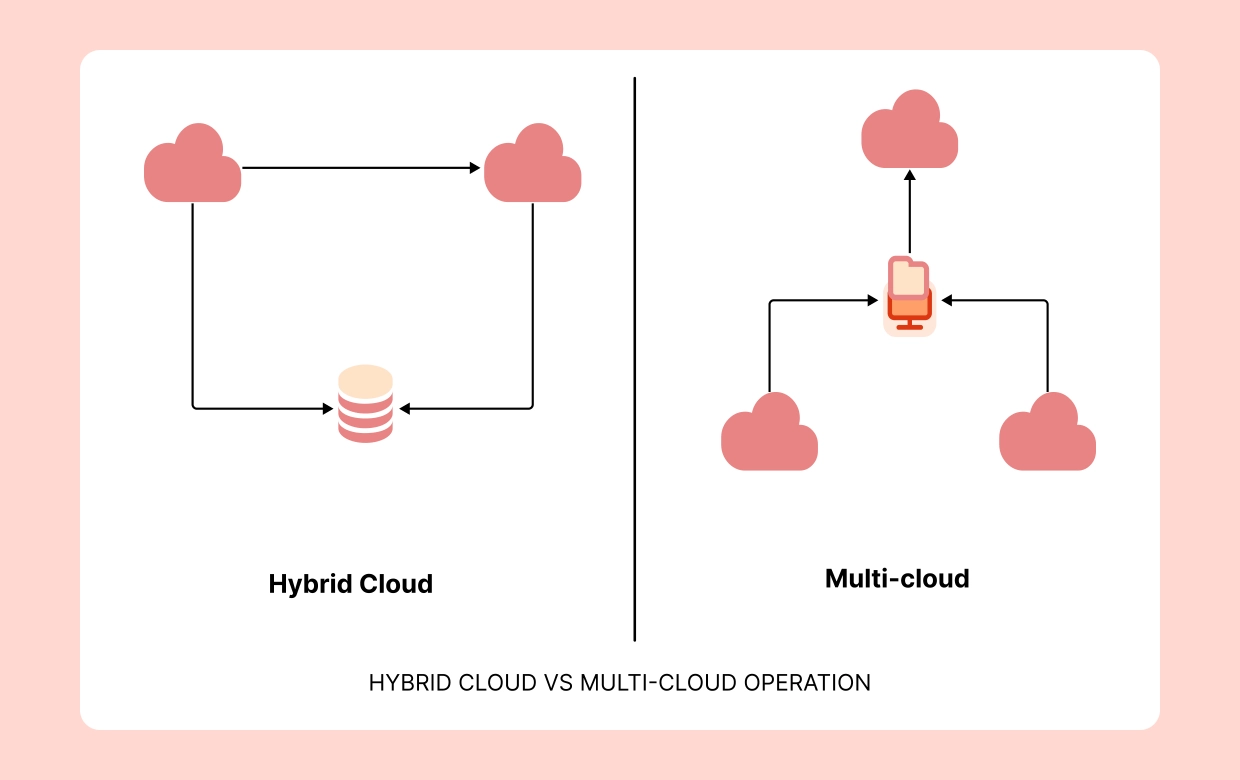
What Is the Working Model of Hybrid Cloud Architecture?

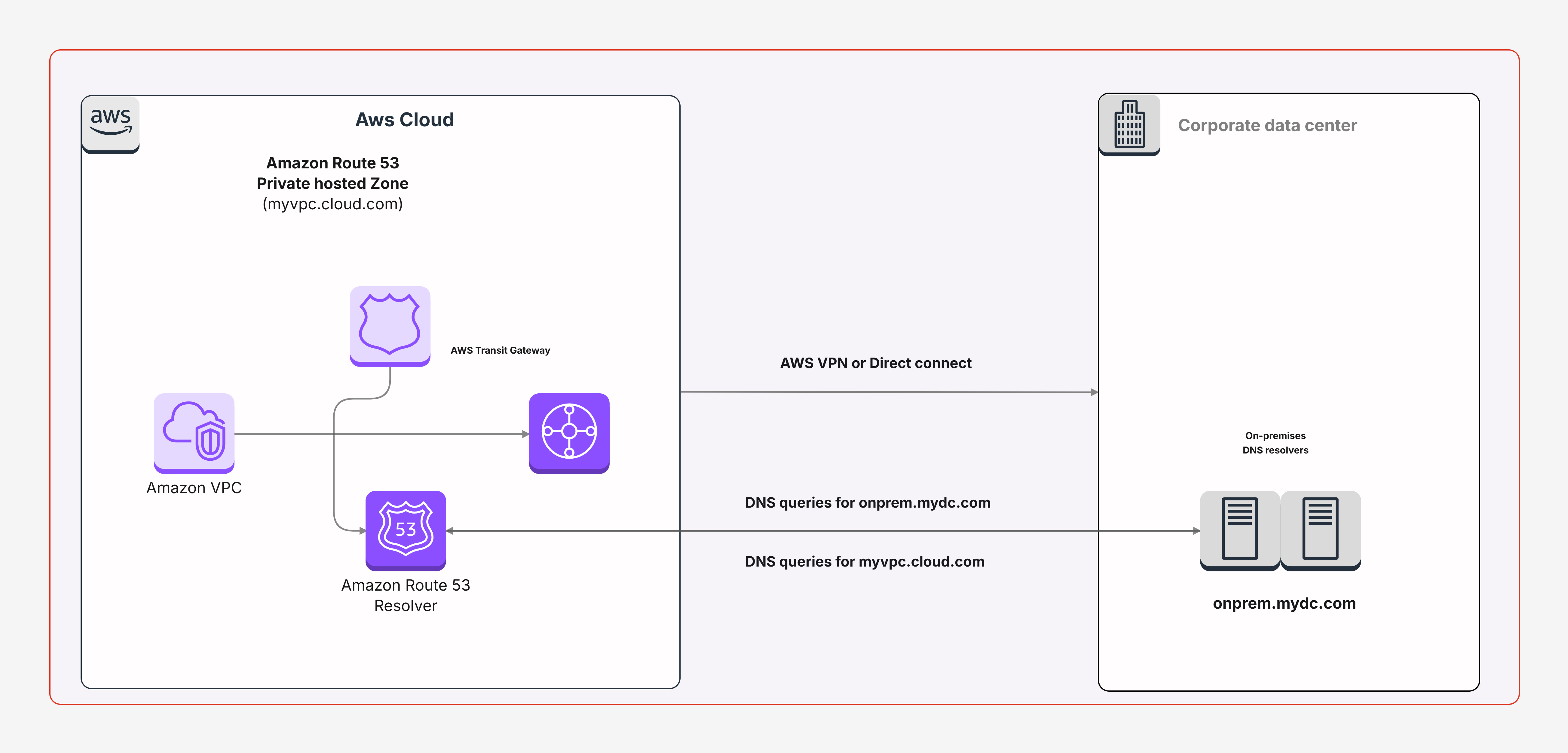
Think of it as blending your own on-site IT resources with today’s powerful public cloud services. This way, a business can keep its sensitive data close by while still benefiting from the fast performance and fresh innovation that the cloud world delivers.

  • Hybrid integration links internal servers with cloud providers using VPN or specialized interconnects, making sure resources can expand without friction.
  • For highly sensitive data, such as medical files or banking records, storage can remain in the company’s private servers to satisfy compliance laws.
  • Meanwhile, scalable workloads benefit because overflow tasks shift to the cloud, whereas core work stays inside the familiar private setup.

What Is Multi-Cloud Architecture?

To put it in my own words, multi-cloud architecture means organizations including the projects I’m directly involved in adopt multi-cloud architecture platforms like AWS, Azure, or GCP together. The main benefit I appreciate is the freedom: not being tied down to just one provider and having the chance to pick the platform that best meets the specific requirement.

  • Diversified providers – Take this example: AWS is excellent for scaling resources, Azure is strong in enterprise management, and GCP is a leader in analytics and data-driven insights.
  • Risk reduction – Splitting resources across multiple providers protects against downtime and keeps business operations steady.
  • Cost optimization – Teams can pick whichever provider offers the most affordable solution for their specific needs.

You can also use this Multi-Cloud Architecture Diagram Template.
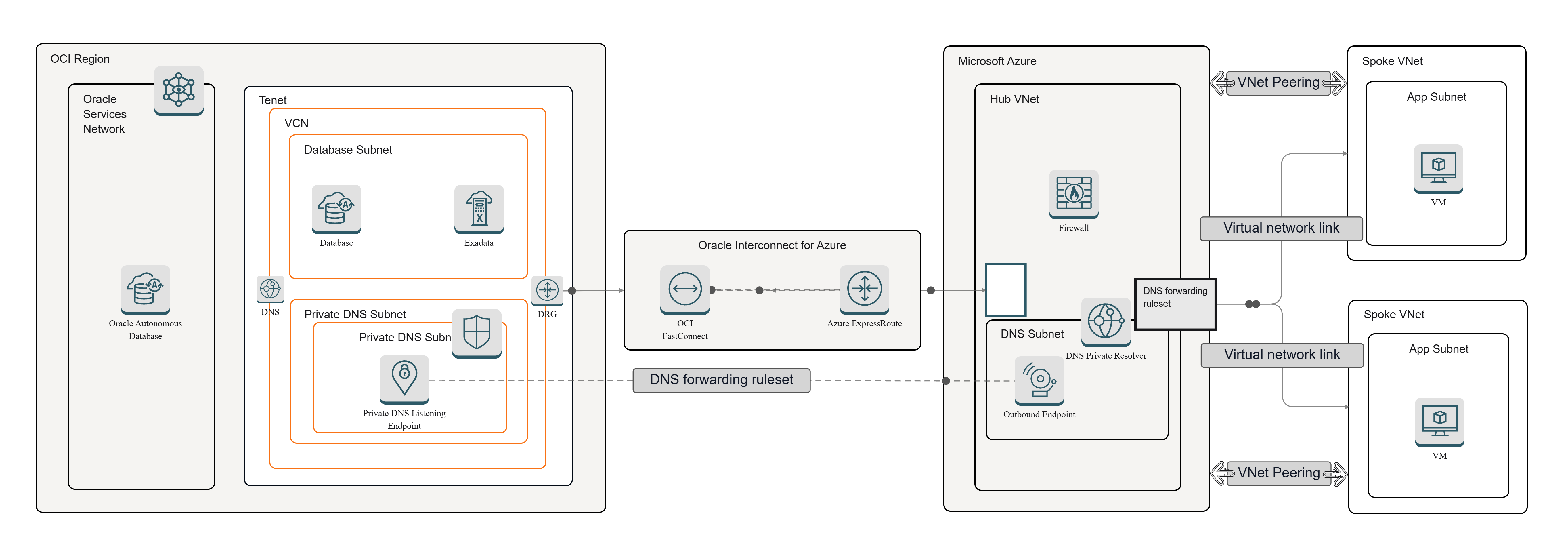
Multi-Cloud Architecture Diagram Template

Key Differences Between Hybrid and Multi-Cloud

From my own perspective, it’s surprisingly easy to assume hybrid and multi-cloud are the same concept, yet the strategies behind them clearly point in very different directions.

  • Infrastructure scope – Hybrid cloud brings together internal data center resources with public cloud options. Multi-cloud, meanwhile, is all about using several different public cloud providers at the same time.
  • Use cases – In my experience, hybrid cloud usually attracts industries with heavy compliance demands, especially in finance or healthcare. On the other hand, multi-cloud seems better suited for organizations that want agility, more choice, and extra room to experiment with new tools.
  • Management complexity – From a practical business standpoint, hybrid cloud requires companies to manage a mix of local infrastructure and various cloud systems, which sometimes gets tricky. Multi-cloud requires them to also juggle policies, connections, and responsibilities across multiple service providers.

Hybrid Cloud Security Architecture Considerations

Security is a central concern in hybrid setups. Hybrid cloud security architecture ensures sensitive data remains secure while workloads transition between environments.

  • Identity management – IAM must span across on-prem and cloud resources to avoid gaps in security.
  • Data encryption – Both at-rest and in-transit encryption safeguard valuable client data moving carefully between local and cloud environments.
  • Compliance frameworks – Hybrid systems must demonstrate HIPAA, GDPR, or PCI-DSS compliance properly across all integrated corporate systems.

Benefits and Challenges of Each Model

Both of these architectures bring clear advantages and a few personal trade-offs.

  • Hybrid benefits – This option is great for regulatory compliance, works well with older legacy systems I’ve personally seen, and supports a slower, more manageable migration. On the downside, it can get quite expensive and sometimes frustratingly complex to integrate.
  • Multi-cloud benefits – It helps reduce painful vendor lock-in, boosts overall system resilience, and allows flexible service optimization. The challenge, however, is that it often creates fragmented daily management and adds noticeable overhead to operations.

Choosing the Right Strategy for Your Business

The choice really depends on your enterprise business priorities and future vision.
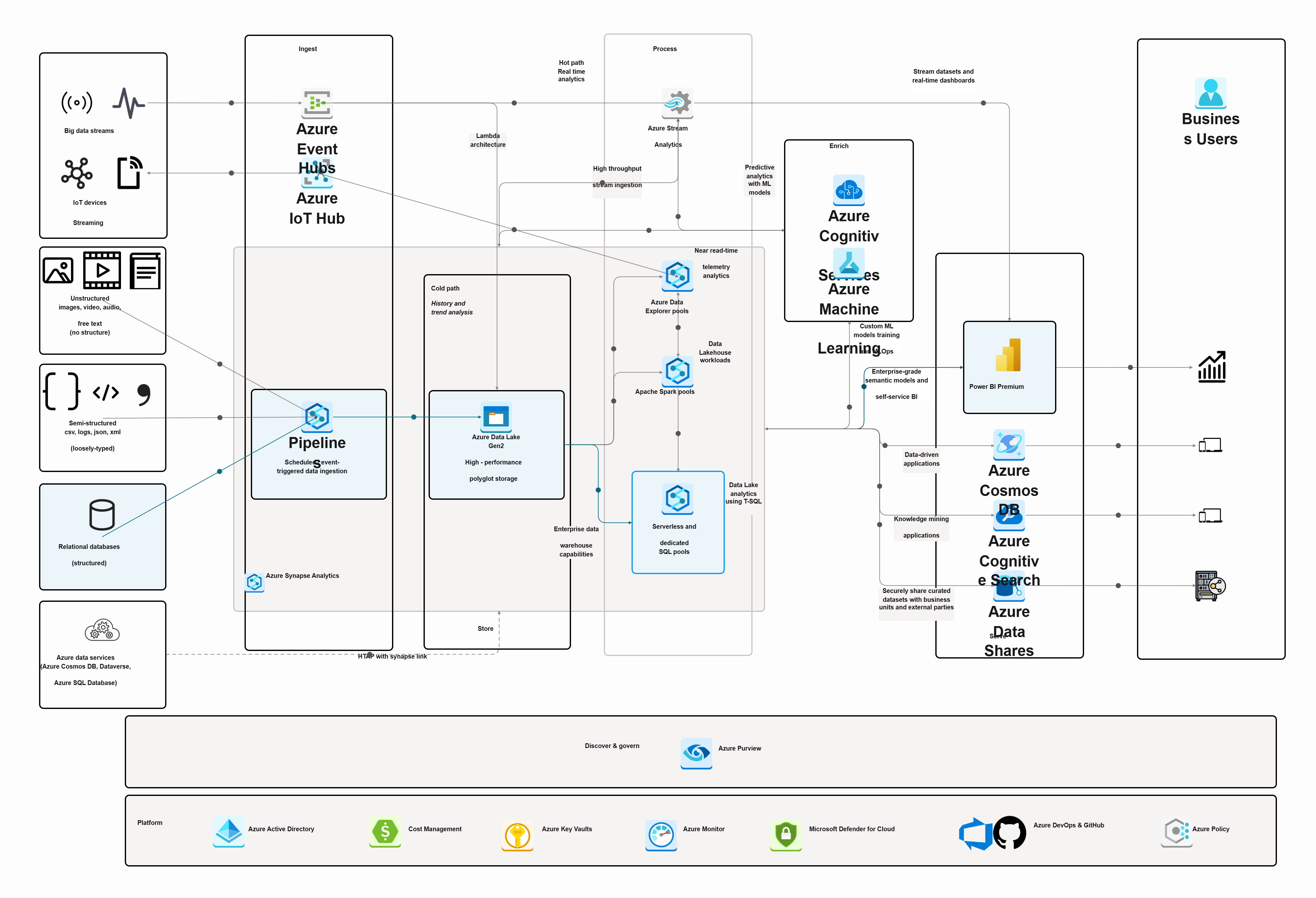
  • Choose a hybrid cloud architecture if compliance, older legacy systems, or sensitive private data centers are absolutely critical.
  • Go with a multi-cloud architecture if real flexibility, practical cost optimization, and stronger resilience are your top business goals.
  • Many modern enterprises I’ve worked with adopt a hybrid multi-cloud strategy, blending both approaches for maximum agility in operations.

Templates and Visuals to Get Started

To design and compare both strategies, use these Cloudairy templates:

  • Hybrid Cloud Architecture Template
  • Multi-Cloud Architecture Diagram Template
  • Cloud Security Architecture Template

Conclusion

When I look at it, both hybrid cloud architecture and multi-cloud architecture setups bring real value depending on what a business is aiming for. Hybrid tends to work best for organizations focused on compliance and older systems, while multi-cloud feels more suited to those chasing flexibility and variety in providers. With Cloudairy’s Cloud Architecture Diagram Tool, you can visualize and plan either approach effectively using drag-and-drop or AI-powered templates.

Start designing hybrid and multi-cloud architectures for free On Cloudairy.

Ready to create smarter with AI?

Start using Cloudairy to design diagrams, documents, and workflows instantly. Harness AI to brainstorm, plan, and build—all in one platform.

Recommended for you
Using Flow Diagrams in Agile Teams
Technical Diagramming