
Templates
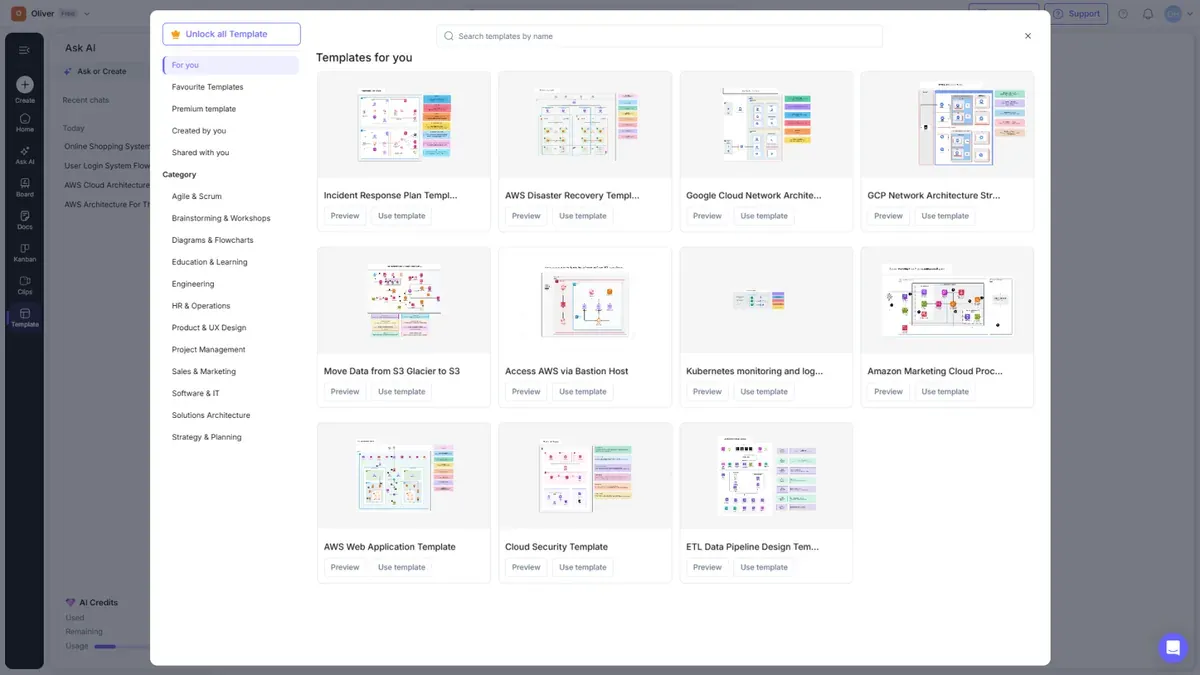
Templates give you a proven starting point instead of a blank canvas. Select Template in the left rail to open the gallery.
Browsing templates
The gallery is organized so you can find the right template fast:
| Section | Shows |
|---|---|
| For you | Recommended templates |
| Favourite Templates | Templates you've starred |
| Premium template 🔒 | Premium templates (paid plans) |
| Created by you | Templates you made |
| Shared with me | Templates shared with you |
Templates are also grouped by category — Agile & Scrum, Brainstorming & Workshops, Diagrams & Flowcharts, Education & Learning, Engineering, HR & Operations, Product & UX Design, Project Management, Sales & Marketing, Software & IT, Solutions Architecture, and more. Use the search bar to find a template by name.
Using a template
- Find a template in the gallery.
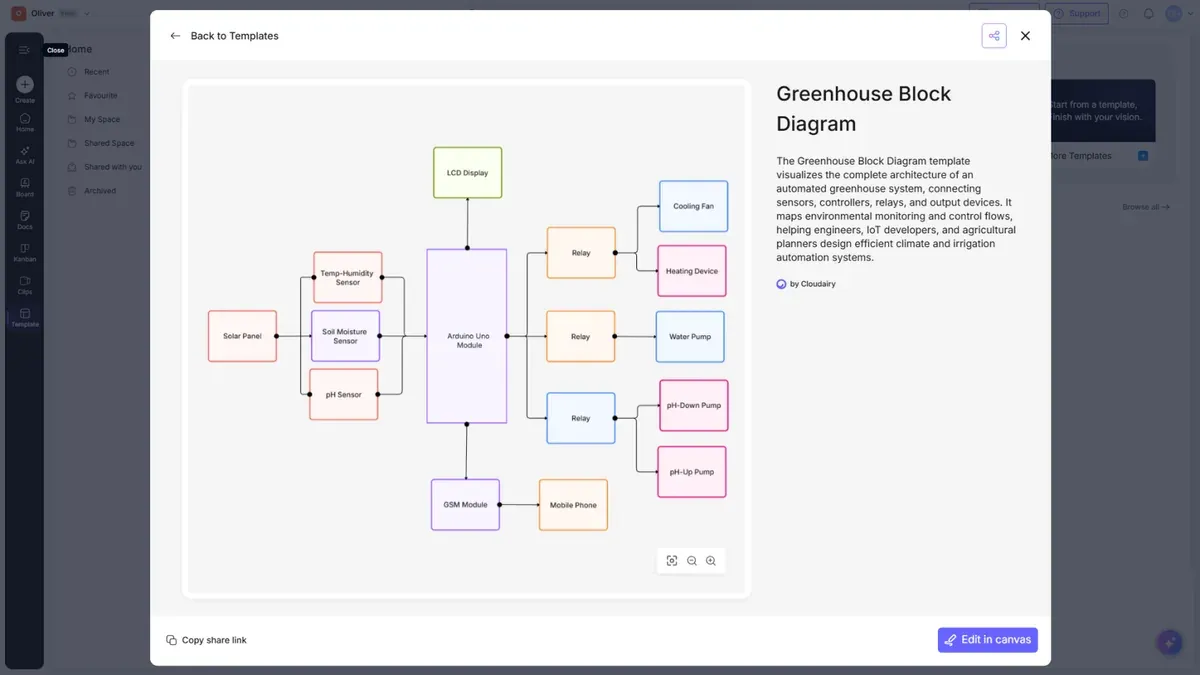
- Select Preview to see it first, or Use template to open it as a new board.
- Edit it like any other board.
Publishing your own template
You can turn a board into a reusable template for your team:
- Open the board you want to templatize.
- Use the convert to template option.
- Add a name, category, and description.
Your template then appears under Created by you, ready to reuse or share.
How does Template Search with AI work?
There are two ways to find a template, and they work differently.
The template picker searches by name. Open Template in the left rail and type into Search templates by name. Alongside the search box you can narrow the list with For you, Favourite Templates, Premium template, Created by you, and Shared with you, or pick one of the categories: Agile & Scrum, Brainstorming & Workshops, Diagrams & Flowcharts, Education & Learning, Engineering, HR & Operations, Product & UX Design, Project Management, Sales & Marketing, Software & IT, Solutions Architecture, and Strategy & Planning.
Template Search with AI works from Ask AI instead, and it searches by meaning rather than by name. Describe what you need in plain language — for example "find me a sprint planning template" — and Cloudairy AI replies with a short summary of what it found followed by matching template cards. Each card has Preview to look at the template and Use template to start a new board from it. Because it matches on meaning, you do not need to know a template's exact title.
Template searches through Ask AI do not cost AI credits — your credit balance is unchanged by them, so you can search as often as you like.
Tip: Templates are a great way to standardize how your team creates common diagrams — build one, publish it, and everyone starts from the same place.